Effective use of Moodle
Course created for colleagues at Neale-Wade to introduce and help them to make more of our Moodle at http://www.nwvle.net. Is specific to Neale-Wade but all the advice can be used for any Moodle installation.
Home
Case Studies
What is effective ICT?
Impact of ICT: NAACE award
Bring Your Own Browser
A vision for ICT (BSF)
Moodle as a VLE and beyond
Flash, SCORM & Moodle
40 ICT ideas (2009)
ICT to improve learning
20 ICT ideas CPD (2007)
Moodle
Overview - why Moodle?
Flash, SCORM & Moodle
Example: Programming
Examble: Web design
Example: Game development
Example: Advertisment
Programming
Python (Command Line)
Actionscript (Flash)
Javascript (browser)
Other sources
Flash
Create a Flash disco ad
Multimedia presentation
Create a poem in Flash
Programming a quick-quiz
Flash goodies for games
Teach yourself Flash
Training (older)
Intro to Flash (older)
Discussion
Core skills
Creating a website
Dreamweaver
Fireworks
Flash
Word
Excel
Access
PowerPoint
Discussion
Main forum
General Q&A
Website & VLE development
Adobe Flash
Emerging technologies
RSS feed
Links
Recommended blogs
Del.icio.us
You are here
EffectiveICT.co.uk
/
►
Effective Moodle
Topic outline
Effective use of Moodle
Why bother?
5
Enhancing courses
The final section offering suggestions to bring Moodle courses alive by improving the presentation and display of course materials.
Enhancing courses
PDF document
Links and resources to explore further
For further Moodle related help and support try the following sites:
Moodle.org
- the official Moodle site
Moodleblog.org
- excellent Moodle blog full of tips and tricks
EffectiveICT.co.uk forum
- forum to post any followup questions
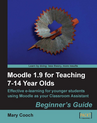
If you'd like further ideas to bring your Moodle courses alive try this highly recommended book:
Moodle 1.9 for teaching 7-14 year olds
by Mary Cooch
Jump to...
1 - 'Adding content to the Neale-Wade Moodle'This course was de...
2 - Initial setupThis section explains how to setup the most ba...
3 - Adding resourcesThe best way to get started with Moodle - u...
4 - Adding activitiesThis section guides you through the basics...
6 -
7 -